
All features
Deal Rooms
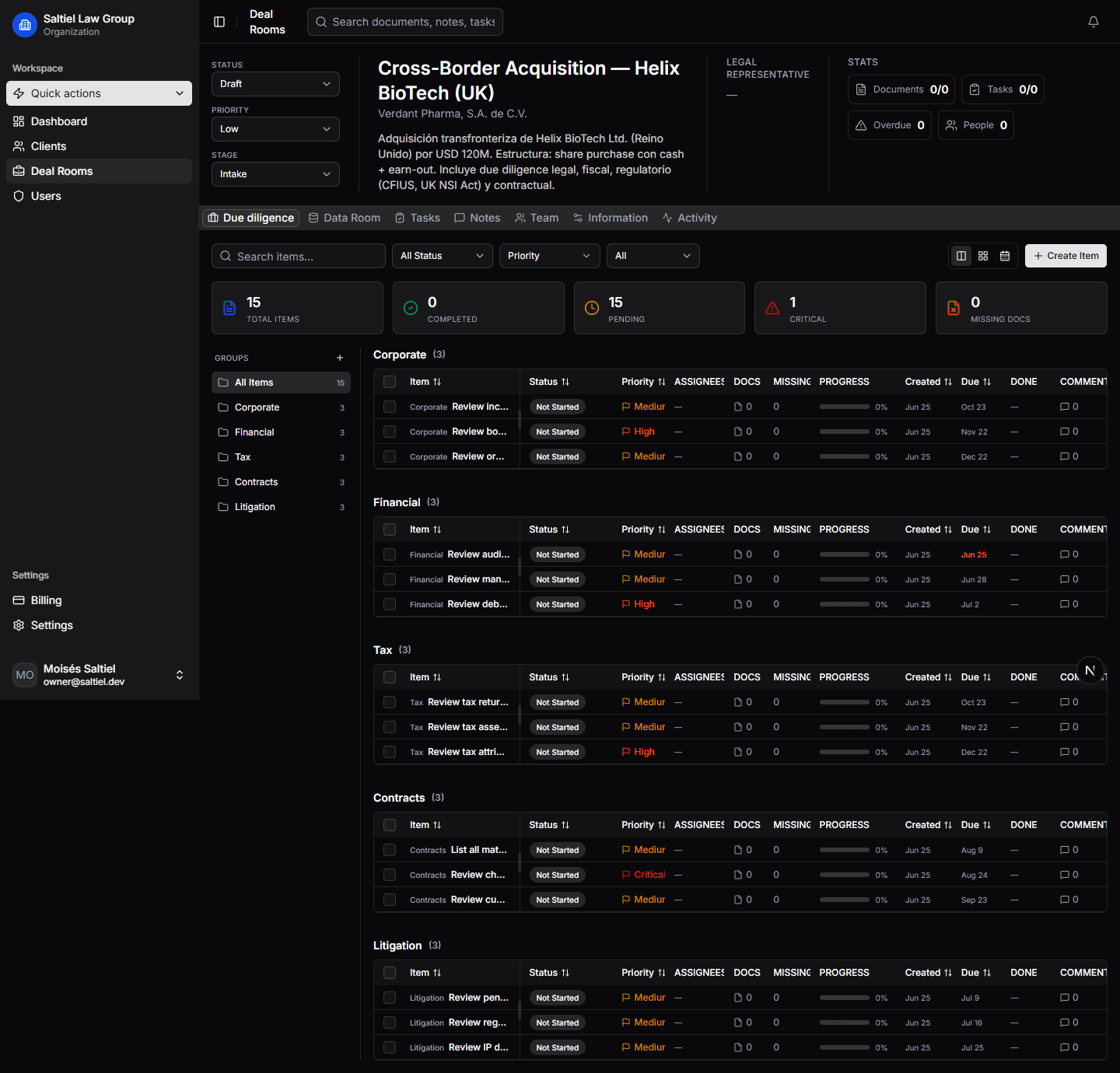
Every matter gets a structured workspace with 33 deal types, 8 pipeline stages, pipeline templates, status tracking, and all related documents — in one place.
Why this matters
The old way
Spreadsheets and scattered emails
Matter tracking across email threads, spreadsheets, and shared drives makes it impossible to see where any deal stands.
- Matters tracked across email threads and spreadsheets
- No single view of deal status or pipeline stage
- Documents scattered across shared drives and local folders
- Onboarding new team members means sharing context from scratch
The Lawden way
A workspace for every matter
Each deal gets a structured room with status, owners, pipeline stage, and all related documents — accessible to the right people from day one.
- 33 deal types: M&A, Series A, Compliance, Litigation, Real Estate, and more
- 8 pipeline stages from Draft through Active, Review, and Closed
- 6 system templates auto-apply the right stages, checklists, and folders
- Pipeline view shows where every deal stands at a glance
- Documents, comments, and tasks live in the room — nothing is lost
Key capabilities
Structured workspaces that keep every matter organized from kickoff to closing.
Pipeline stages
Visual pipeline with configurable stages. Drag deals forward, gate progress on completion of required steps.
33 deal types
M&A, Series A, Compliance, Litigation, Real Estate, Contract Review, and more. Each type maps to the right pipeline template.
Status tracking
Real-time status indicators. Know which matters are active, on hold, pending review, or closed.
Related
Explore more features
Due Diligence
Structured DD request lists, centralized Q&A, document review, and automated checklists — all in the deal room.
Collaboration
Comments, mentions, and activity feeds tied to every matter. Every conversation becomes part of the record.
Pipeline Templates
6 system templates with pre-built stages, checklists, folders, and DD groups — auto-applied per deal type.
Ready to transform your deal workflow?
Join hundreds of law firms using Lawden to close deals faster.